How to type Scissors
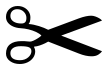
To type Scissors (✂), press Alt + 9986 on Windows, holding Alt while typing the digits on the numeric keypad, or write ✂ in HTML. On any system you can copy it from this page, or enter its codepoint U+2702 directly: Ctrl+Shift+U then 2702 on Linux, or 2702 then Alt+X in Microsoft Word.
Black Scissors
- Copy it
- Unicode
- U+2702
- Windows
- Alt + 9986 needs regedit
| Where | Shortcut | How |
|---|---|---|
| Windows | Alt + 9986 | Above 255, so Windows will not accept it as typed. Copy the character instead. |
| Mac | N/A | Press the keys together. |
| HTML | ✂ | Paste this into HTML source. |
| Unicode | U+2702 | BLACK SCISSORS |
Other symbols
Scissors is not the only name it goes by: people look for ✂ as cut too, and the search box on this site matches that as readily as the Unicode name.
✂ lives in the Dingbats block (U+2700-U+27BF), the printer's ornaments from the classic Zapf Dingbats font. Within Unicode it is classified as So, a symbol.
What Scissors is used for
Unicode publishes a second list of names for ✂ in CLDR, the keywords its own search data offers rather than the formal name, and they are cut, cutting, paper and tool. Those words are what somebody looking for this character is liable to type when Scissors is not the name they know it by, and the search on the symbol lists matches them as well as the Unicode name.
How Scissors behaves in software
✂ takes one column in a terminal. It carries no direction of its own, so in a line that mixes English with Arabic or Hebrew it takes the direction of the text around it rather than forcing one.
Every way to write Scissors
| Form | Value |
|---|---|
| Codepoint | U+2702 |
| Decimal | 9986 |
| UTF-8 bytes | E2 9C 82 |
| UTF-16 bytes | 27 02 |
| HTML entity | ✂ |
| HTML numeric | ✂ or ✂ |
| CSS | \2702 |
| JavaScript | \u2702 |
| Python | \u2702 |
| URL-encoded | %E2%9C%82 |
| SVG | 2702.svg · (SIL Open Font License) |
If ✂ arrives as ✂
One character has become three, which is what a three-byte UTF-8 sequence looks like when each byte is read separately: E2 9C 82 read as Windows-1252 gives exactly ✂. The text is intact and the damage is in the reading, so setting the reader to UTF-8 restores it and retyping does not. A rectangle instead of the mojibake means the opposite: the encoding is right and the font has no glyph at U+2702, which for a character this far outside Latin-1 is common in older office fonts.